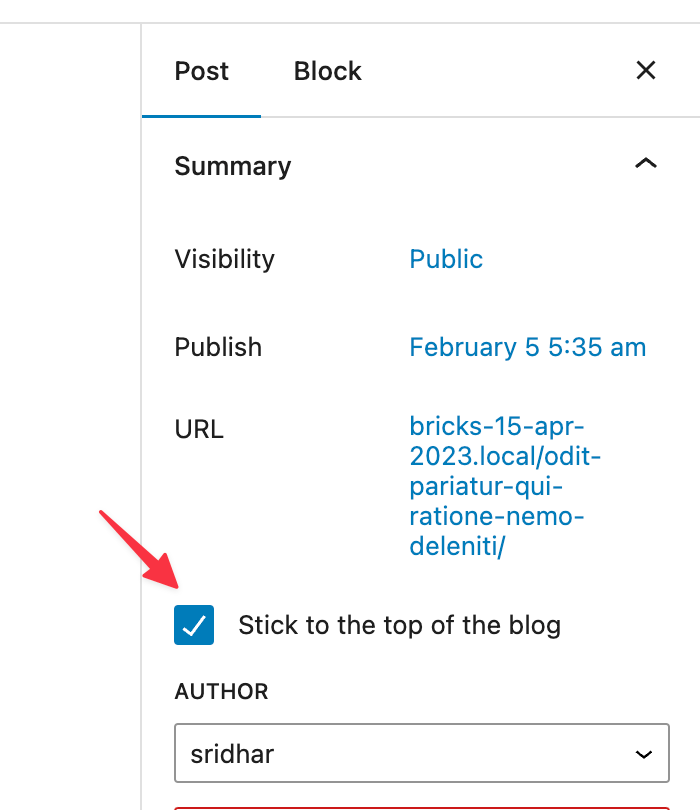
This Pro tutorial provides the steps to output sticky posts using a Posts element or a Query Loop enabled container/block in Bricks.
Add a Posts element or set up a query loop in a Bricks Page/template.
Do not make any changes other than perhaps setting the Type to Posts in the Query settings popup.
Show all sticky posts
Add the following in child theme‘s functions.php or a code snippets plugin:
add_filter( 'bricks/posts/query_vars', function( $query_vars, $settings, $element_id ) {
    if ( $element_id === 'wkqqso' ) {
        $sticky = get_option( 'sticky_posts' );

        if ( ! empty( $sticky ) ) {
            // rsort() to get the newest IDs first
            rsort($sticky);

            $query_vars['post__in'] = $sticky;
        }
    }

    return $query_vars;
}, 10, 3 );
Replace wkqqso with the Bricks ID of your Posts or query loop enabled-element.
get_option( 'sticky_posts' )returns an array of all the IDs of sticky posts.
Show n number of sticky posts
Instead of the earlier PHP code, add this instead:
add_filter( 'bricks/posts/query_vars', function( $query_vars, $settings, $element_id ) {
    if ( $element_id === 'wkqqso' ) {
        $sticky = get_option( 'sticky_posts' );

        if ( ! empty( $sticky ) ) {
            // rsort() to get the newest IDs first
            rsort($sticky);

            // get the 3 newest stickies (change 3 to a different number)
            $sticky = array_slice( $sticky, 0, 3 );

            $query_vars['post__in'] = $sticky;

            $query_vars['ignore_sticky_posts'] = 1;
        }
    }

    return $query_vars;
}, 10, 3 );
Replace wkqqso with the Bricks ID of your Posts or query loop enabled-element.
By setting
$query_vars['ignore_sticky_posts'] = 1we are telling WP to ignore the sticky posts for this query. If this is not set, it will also show the remaining sticky posts.
Reference
https://www.wpbeginner.com/wp-tutorials/how-to-display-the-latest-sticky-posts-in-wordpress/