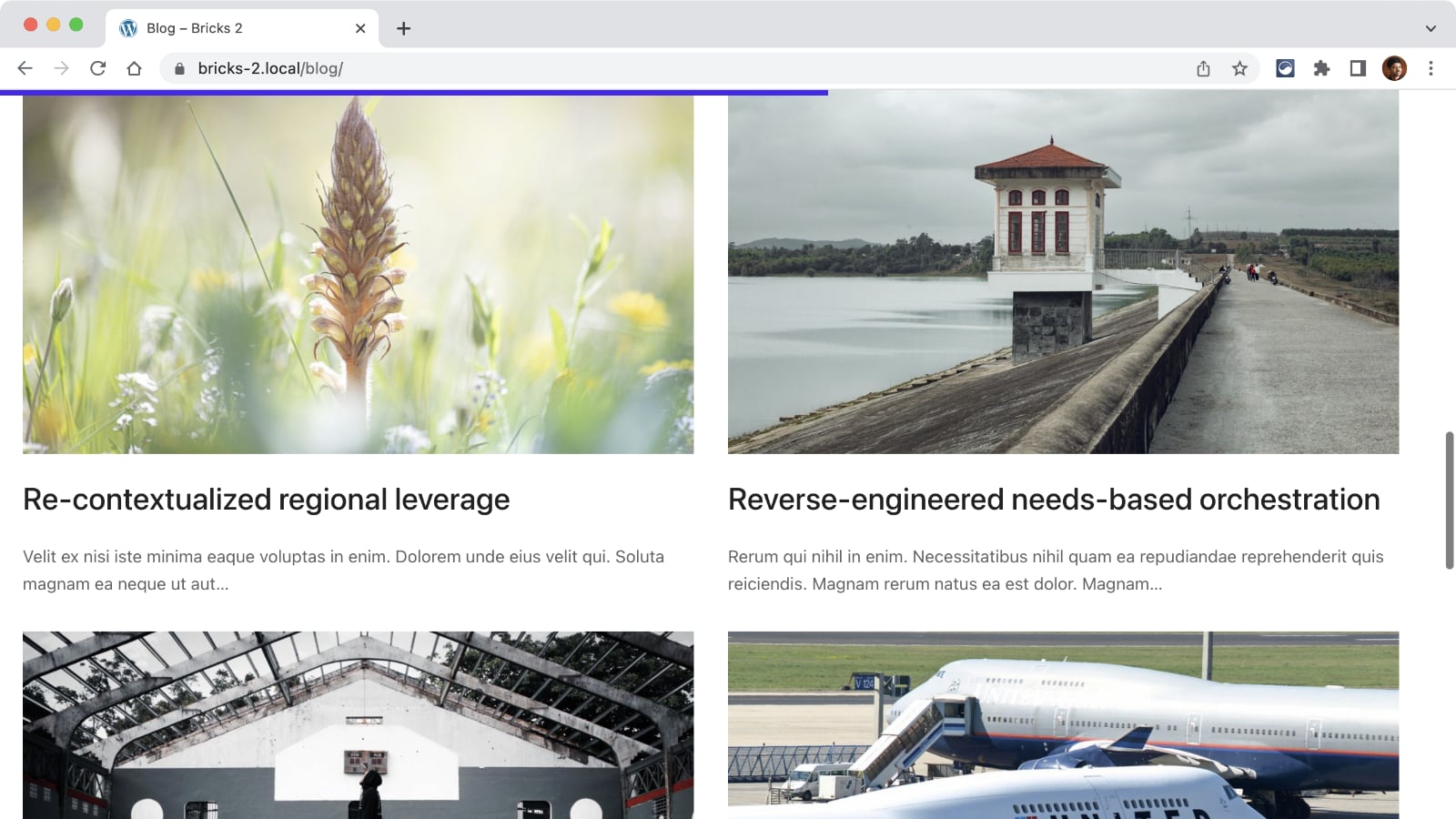
This Pro tutorial provides the steps to implement a reading progress bar in Bricks builder.
Step 1
Add the progress element as the first child of body.
Go to Bricks → Settings → Custom code and paste the following in Body (header) scripts:
<progress aria-hidden="true" class="reset reading-progressbar js-reading-progressbar" max="100" value="0">
  <div class="reading-progressbar__fallback js-reading-progressbar__fallback"></div>
</progress>
While there, paste the following in Custom CSS text area (or, if you prefer – in child theme’s style.css):
/* --------------------------------

File#: _1_reading-progressbar
Title: Reading Progress Bar
Descr: A bar indicator displaying the current reading progress
Usage: codyhouse.co/license

-------------------------------- */

.reading-progressbar {
  position: fixed;
  z-index: 10;
  top: 0;
  left: 0;
  width: 100%;
  height: 5px;
  color: #4827ec;
  pointer-events: none;
  display: none;
  transition: -webkit-transform 0.2s;
  transition: transform 0.2s;
  transition: transform 0.2s, -webkit-transform 0.2s;
}

.admin-bar .reading-progressbar {
  top: var(--wp-admin--admin-bar--height,0);
}

.reading-progressbar--is-out {
  -webkit-transform: translateY(-100%);
          transform: translateY(-100%);
}

.reading-progressbar--is-active {
  display: block;
}

.reading-progressbar::-webkit-progress-bar {
  background-color: transparent;
}

.reading-progressbar::-webkit-progress-value {
  background-color: currentColor;
}

.reading-progressbar::-moz-progress-bar {
  background-color: currentColor;
}

.reading-progressbar__fallback {
  position: absolute;
  left: 0;
  top: 0;
  height: 100%;
  background-color: currentColor;
}
To change the color of the progress bar, change the color value in the above from #4827ec to your desired hex code.
Step 2
Create a directory called assets in your child theme directory and inside that, js directory.
Create a file named util.js inside the assets/js having:
// Utility function
function Util() {}

/* class manipulation functions */

Util.addClass = function (el, className) {
  var classList = className.split(" ");
  el.classList.add(classList[0]);
  if (classList.length > 1) Util.addClass(el, classList.slice(1).join(" "));
};

Util.removeClass = function (el, className) {
  var classList = className.split(" ");
  el.classList.remove(classList[0]);
  if (classList.length > 1) Util.removeClass(el, classList.slice(1).join(" "));
};

Util.toggleClass = function (el, className, bool) {
  if (bool) Util.addClass(el, className);
  else Util.removeClass(el, className);
};
Create another file named reading-indicator.js in the same location having:
// File#: _1_reading-progressbar
// Usage: codyhouse.co/license
(function () {
  var readingIndicator = document.getElementsByClassName(
      "js-reading-progressbar"
    )[0],
    readingIndicatorContent = document.getElementById("brx-content");

  if (readingIndicator && readingIndicatorContent) {
    var progressInfo = [],
      progressEvent = false,
      progressFallback = readingIndicator.getElementsByClassName(
        "js-reading-progressbar__fallback"
      )[0],
      progressIsSupported = "value" in readingIndicator;

    var boundingClientRect = readingIndicatorContent.getBoundingClientRect();

    progressInfo["height"] = readingIndicatorContent.offsetHeight;
    progressInfo["top"] = boundingClientRect.top;
    progressInfo["bottom"] = boundingClientRect.bottom;
    progressInfo["window"] = window.innerHeight;
    progressInfo["class"] = "reading-progressbar--is-active";
    progressInfo["hideClass"] = "reading-progressbar--is-out";

    //init indicator
    setProgressIndicator();
    // wait for font to be loaded - reset progress bar
    if (document.fonts) {
      document.fonts.ready.then(function () {
        triggerReset();
      });
    }
    // listen to window resize - update progress
    window.addEventListener("resize", function (event) {
      triggerReset();
    });

    //listen to the window scroll event - update progress
    window.addEventListener("scroll", function (event) {
      if (progressEvent) return;
      progressEvent = true;
      !window.requestAnimationFrame
        ? setTimeout(function () {
            setProgressIndicator();
          }, 250)
        : window.requestAnimationFrame(setProgressIndicator);
    });

    function setProgressIndicator() {
      var boundingClientRect = readingIndicatorContent.getBoundingClientRect();
      progressInfo["top"] = boundingClientRect.top;
      progressInfo["bottom"] = boundingClientRect.bottom;

      if (progressInfo["height"] <= progressInfo["window"]) {
        // short content - hide progress indicator
        Util.removeClass(readingIndicator, progressInfo["class"]);
        progressEvent = false;
        return;
      }
      // get new progress and update element
      Util.addClass(readingIndicator, progressInfo["class"]);
      var value =
        progressInfo["top"] >= 0
          ? 0
          : (100 * (0 - progressInfo["top"])) /
            (progressInfo["height"] - progressInfo["window"]);
      readingIndicator.setAttribute("value", value);
      if (!progressIsSupported && progressFallback)
        progressFallback.style.width = value + "%";
      // hide progress bar when target is outside the viewport
      Util.toggleClass(
        readingIndicator,
        progressInfo["hideClass"],
        progressInfo["bottom"] <= 0
      );
      progressEvent = false;
    }

    function triggerReset() {
      if (progressEvent) return;
      progressEvent = true;
      !window.requestAnimationFrame
        ? setTimeout(function () {
            resetProgressIndicator();
          }, 250)
        : window.requestAnimationFrame(resetProgressIndicator);
    }

    function resetProgressIndicator() {
      progressInfo["height"] = readingIndicatorContent.offsetHeight;
      progressInfo["window"] = window.innerHeight;
      setProgressIndicator();
    }
  }
})();
Step 3
Edit child theme’s functions.php.
Inside the function hooked to wp_enqueue_scripts, add
wp_register_script( 'util', get_stylesheet_directory_uri() . '/assets/js/util.js', [], '1.0.0', true );
wp_enqueue_script( 'reading-indicator', get_stylesheet_directory_uri() . '/assets/js/reading-indicator.js', [ 'util' ], '1.0.0', true );