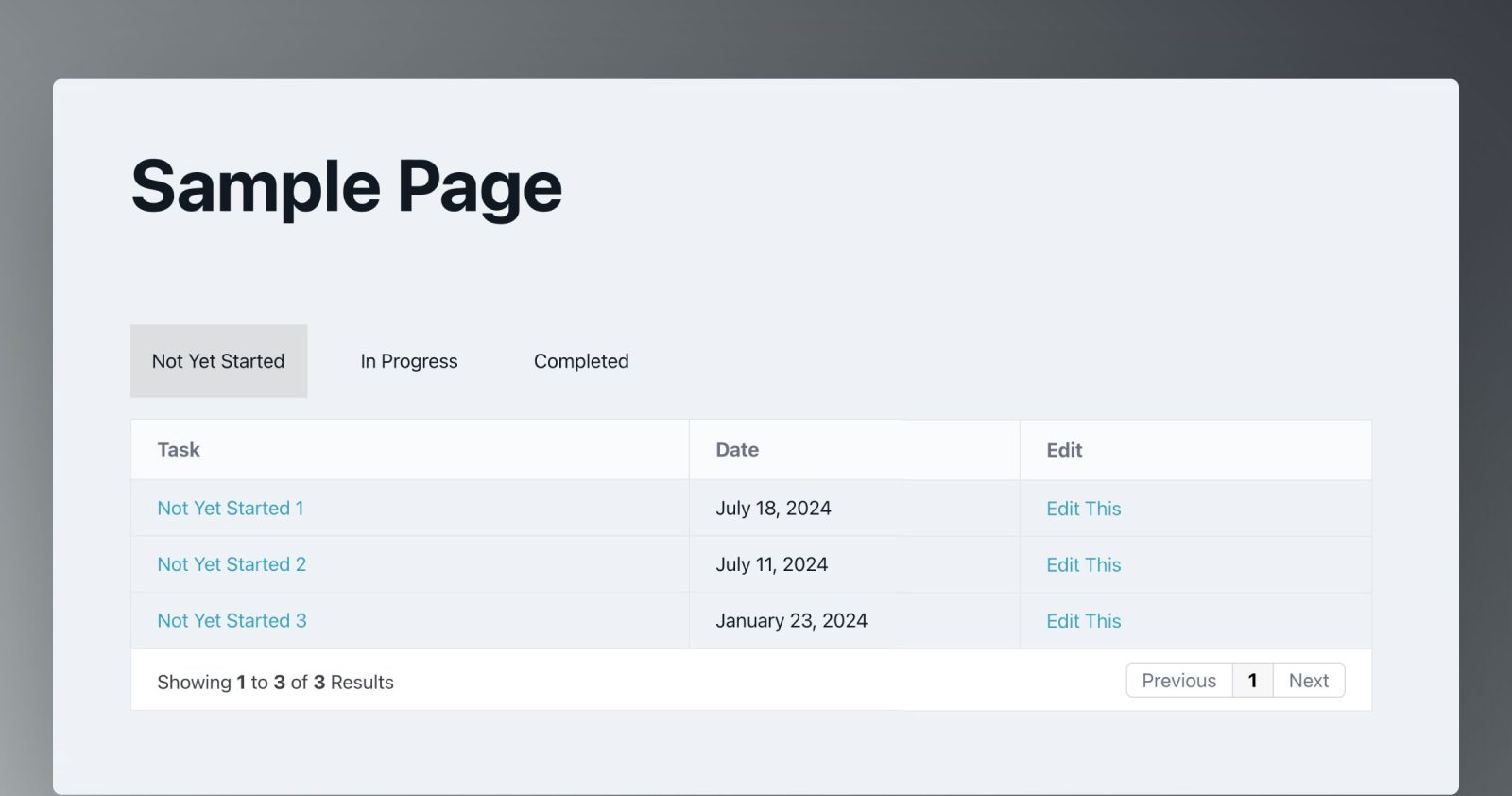
This Pro tutorial provides the steps for outputting posts of any post type (Tasks CPT in this example) organized by a taxonomy (Task Status) with the taxonomy terms appearing as Tab titles and the corresponding posts appearing inside tables with sortable custom columns as Tab contents in Bricks.
The entire solution is fully dynamic and once set up, is automatically updated as the terms and posts change.
Step 1
Install and activate BricksExtras.
Go to its settings and enable these elements:
- Dynamic Table
- Pro Tabs
Step 2
If you want to implement this tutorial for post type other than the default post and taxonomy other than the default category (or post_tag), create (if you haven’t already) your desired CPT and a corresponding taxonomy.
Create terms for the taxonomy, create posts and assign one or more terms for the posts.
Step 3
Edit a Page or template in which you’d like to render the grouped posts with Bricks.
Copy the JSON of the Section from our dev site using the link below and paste it in your Bricks builder.

Pro Tabs settings:


Query loop for Tab Item:

Select your Taxonomy.
Query loop for Tab Content Item:

Select your Taxonomy.
Query loop for Dynamic Table:
return [
	'post_type' => 'task', // change this to your post type
	'posts_per_page' => 100, // a large number
	'no_found_rows' => true,
	'tax_query' => [
		[
			'taxonomy' => 'task-status', // change this to your taxonomy name
			'terms' => [BricksQuery::get_query_for_element_id( 'ksshkc' )->loop_object->term_id],
		]
	],
];
Replace task with your post type.
Replace task-status with your taxonomy.
Replace ksshkc with the Bricks ID of Tab Content Item.
Step 4
One of the columns of the Dynamic Table has been set to Edit with this data:
{echo:edit_post_link}
For this to work, the edit_post_link function must be whitelisted. This step is not necessary if you aren’t going to use this column.
Ex.:
<?php

add_filter( 'bricks/code/echo_function_names', function() {
  return [
    'edit_post_link'
  ];
} );
You should also add other functions (native or custom) being used in your Bricks instance besides edit_post_link. This can be checked at Bricks → Settings → Custom code by clicking the Code review button.
More info on whitelisting can be found here.
That’s it! Check the front end.