Updated on 29 Jul 2024
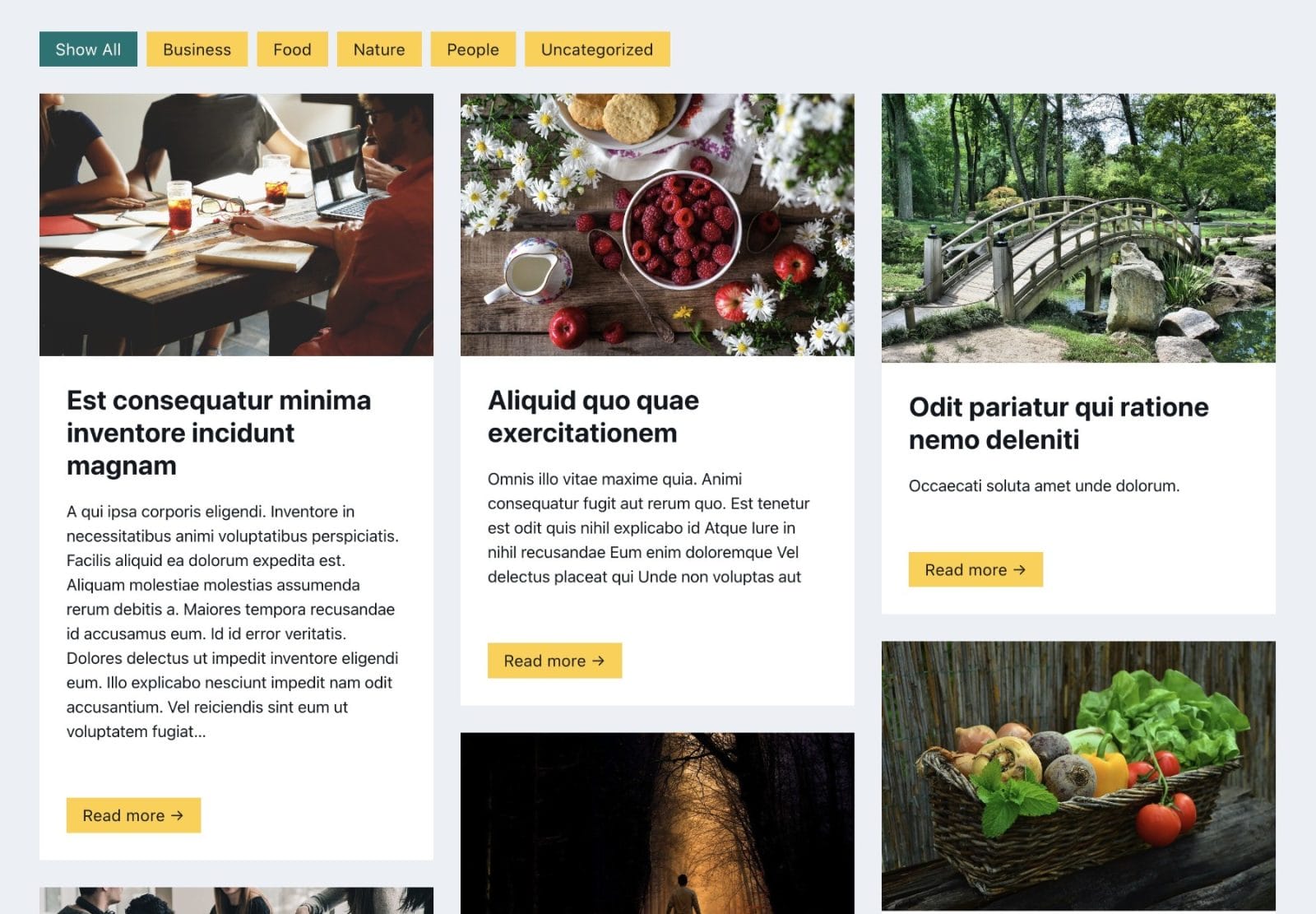
This Pro tutorial provides the steps to set up Isotope in Bricks for filtering posts by categories.
This tutorial can also be applied to filtering a CPT posts by its custom taxonomy terms with a few changes.
Step 1
Edit a Page or a archive template with Bricks.
Copy the JSON from the link below and paste to import the fully-built Section from our dev site.

Step 2
Click on the gear icon (Settings) → PAGE SETTINGS.
Custom CSS
.bricks-button.active {
	background-color: teal;
	color: #fff;
}
Change teal to your desired color for the active button.
Body (footer) scripts
<script src="https://unpkg.com/isotope-layout@3/dist/isotope.pkgd.min.js" async></script>

<script>

  document.addEventListener('DOMContentLoaded', function() {
    // Initialize the Isotope grid
    const grid = new Isotope('.isotope-grid', {
      itemSelector: '.isotope-grid__grid-item',
      //percentPosition: true,
      masonry: {
        columnWidth: '.isotope-grid__grid-item',
        gutter: '.gutter-sizer', // horizontal space between the items
        horizontalOrder: true
      }
    });

    // Select all the buttons within the .filter-button-group container
    const filterButtons = document.querySelectorAll('.filter-button-group button');

    // Loop through each button and add a click event listener
    filterButtons.forEach(function(button) {
      button.addEventListener('click', function() {
        // Remove active class from all buttons
        filterButtons.forEach(b => b.classList.remove('active'));

        // Add active class to the clicked button
        button.classList.add('active');

        // Get the filter value from data-filter attribute
        const filterValue = this.getAttribute('data-filter');

        // Use Isotope to filter items
        grid.arrange({ filter: filterValue });
      });
    });
});

</script>
Step 3
Add the following in child theme‘s functions.php (w/o the opening PHP tag) or a code snippets plugin:
<?php

function bl_get_post_category_slugs(): string {
    // Get all categories for the current post
    $categories = get_the_category();

    // Empty array to store the modified slugs
    $slugs = [];

    // Loop through categories and add each slug to the array
    foreach ( $categories as $category ) {
        $slugs[] = $category->slug;
    }

    // Join all the modified slugs with spaces and return
    return implode( ' ', $slugs );
}
Step 4
Whitelist the bl_get_post_category_slugs function.
Ex.:
<?php

add_filter( 'bricks/code/echo_function_names', function() {
  return [
    'bl_get_post_category_slugs'
  ];
} );
You should also add any other functions (native or custom) being used in your Bricks instance in addition to bl_get_post_category_slugs. This can be checked at Bricks → Settings → Custom code by clicking the Code review button.
More info on whitelisting can be found here.
—
That’s it! Check the front end.
The number of columns is controlled by width of Grid Item element.
The horizontal space between the items is controlled by the width of Gutter Sizer element.
The vertical space between the items is controlled by bottom margin of Grid Item element.