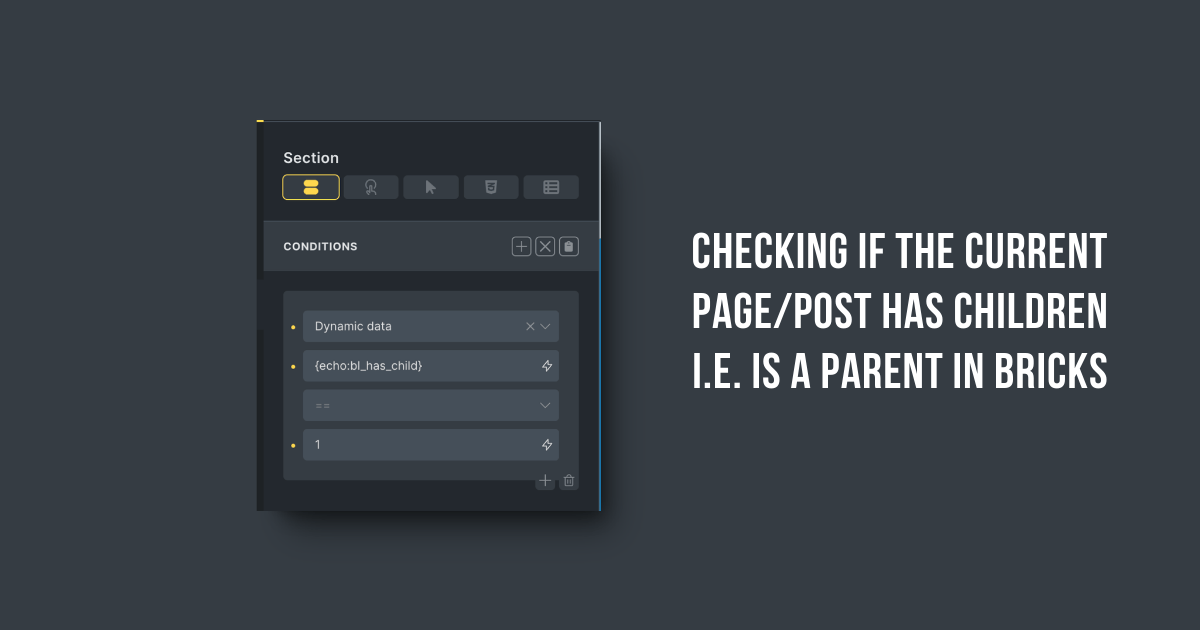
This Pro tutorial shows how we can register a custom function that checks whether the current Page or Post (of any hierarchical post type) is a parent i.e., has at least 1 child.
This can then be used with a Dynamic data Bricks condition to conditionally output elements based on whether the current (either single or in a query loop) has children or not.
Step 1
Add the following in child theme‘s functions.php (w/o the opening PHP tag) or a code snippets plugin:
<?php

/**
 * Check if the current post (of any post type) or Page is a parent i.e., has at least 1 child post.
 *
 * @return bool True if the post has children, false otherwise.
 */
if ( ! function_exists( 'bl_has_child' ) ) {
    function bl_has_child(): bool {
        // Get the ID of the current post
        $post_id = get_the_ID();

        // If there's no current post ID, return false
        if ( ! $post_id ) {
            return false;
        }

        // Get the post type of the current post
        $post_type = get_post_type( $post_id );

        // Get the post type object to check if it's hierarchical
        $post_type_object = get_post_type_object( $post_type );

        // If the post type is not hierarchical, return false
        if ( ! $post_type_object || ! $post_type_object->hierarchical ) {
            return false;
        }

        // For pages, use get_pages() which is optimized for hierarchical content
        if ( $post_type === 'page' ) {
            $children = get_pages( array(
                'child_of' => $post_id,
                'post_status' => 'publish', // Explicitly set to only get published pages
            ) );
        } else {
            // For other hierarchical post types, use get_posts()
            $children = get_posts( array(
                'post_parent' => $post_id,
                'post_type'   => $post_type,
                'numberposts' => 1, // We only need to know if there's at least one child
            ) );
        }

        // Return true if there are children, false otherwise
        return ! empty( $children );
    }
}
Step 2
Whitelist the bl_has_child function.
Ex.:
<?php

add_filter( 'bricks/code/echo_function_names', function() {
  return [
    'bl_has_child'
  ];
} );
You should also add other functions (native or custom) being used in your Bricks instance besides bl_has_child. This can be checked at Bricks → Settings → Custom code by clicking the Code review button.
More info on whitelisting can be found here.
Step 3
Usage:

{echo:bl_has_child}
Any element on which the above is applied will only be output if the current post/Page has at least 1 child.
To do the opposite i.e., when the current post is NOT a parent change 1 to 0.