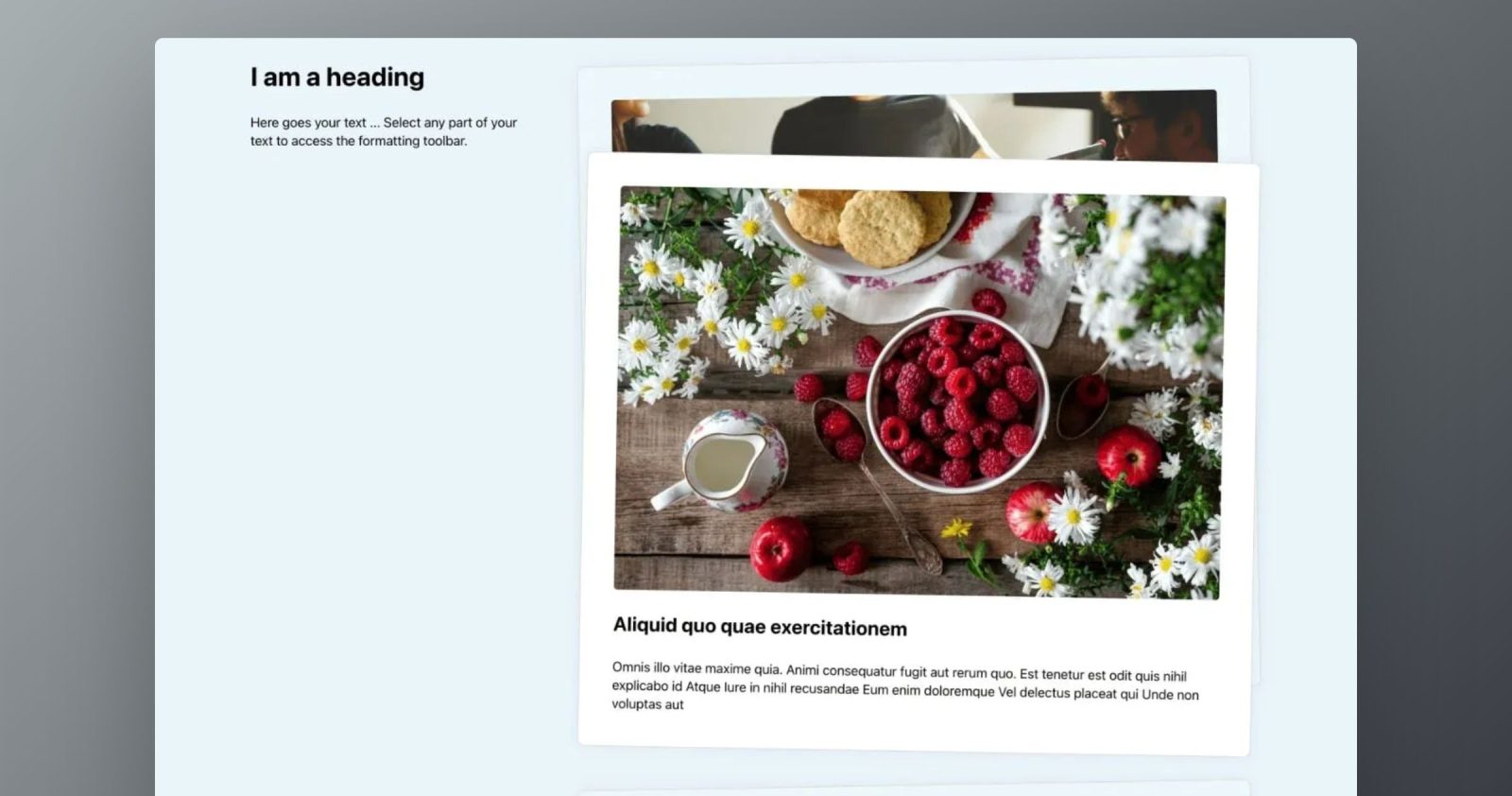
This Pro tutorial provides the steps to stack posts output by a Bricks query loop so they stick on top of the previous one when scrolling.
Note: ACSS classes and variables are used in the provided JSON. If you do not use ACSS, you would have to either define the missing class and variable definitions or replace them with your own or those from another framework.
Step 1
Edit a Page/template where you would like to show the stacked posts with Bricks.
Copy this JSON of the fully-built section from our dev site and paste.

Posts query loop is enabled on the LI labelled “Stacked Card”.
Step 2
When scrolling down you will notice that cards get fully covered by the next set of cards.
If you’d like to have the subsequent cards be positioned lower than the previous ones, follow this step.
Add the following in child theme‘s functions.php (w/o the opening PHP tag) or a code snippets plugin:
<?php

/**
 * Get the current loop index
 *
 * @return int
 */
if ( ! function_exists( 'bl_get_loop_index' ) ) {
    function bl_get_loop_index(): int {
        if ( method_exists( 'BricksQuery', 'get_query_object' ) ) {
            $query_object = BricksQuery::get_query_object();

            if ( $query_object ) {
                $value = intval( $query_object::get_loop_index() ) + 1;
            }
        } else {
            $value = 0;
        }

        $value = isset( $value ) ? $value : 0;

        return $value;
    }
}

function bl_top_value(): int {
    return bl_get_loop_index() * 45;
}
Whitelist the bl_get_loop_index and bl_top_value functions.
Ex.:
<?php

add_filter( 'bricks/code/echo_function_names', function() {
  return [
    'has_blocks',
    'bl_get_loop_index',
    'bl_top_value'
  ];
} );
You should also add other functions (native or custom) being used in your Bricks instance besides bl_get_loop_index and bl_top_value. This can be checked at Bricks → Settings → Custom code by clicking the Code review button.
More info on whitelisting can be found here.
Back in the Bricks editor select the query loop-enabled LI element.
Go to its attributes area and add a style attribute.

Value:
This file contains bidirectional Unicode text that may be interpreted or compiled differently than what appears below. To review, open the file in an editor that reveals hidden Unicode characters.
Learn more about bidirectional Unicode characters
| top: calc( var(–wp-admin–admin-bar–height, 0px) + {echo:bl_top_value}px ) |
Reference
How To Stack Cards On Scroll In WordPress (Using Bricks Builder) (youtube.com)