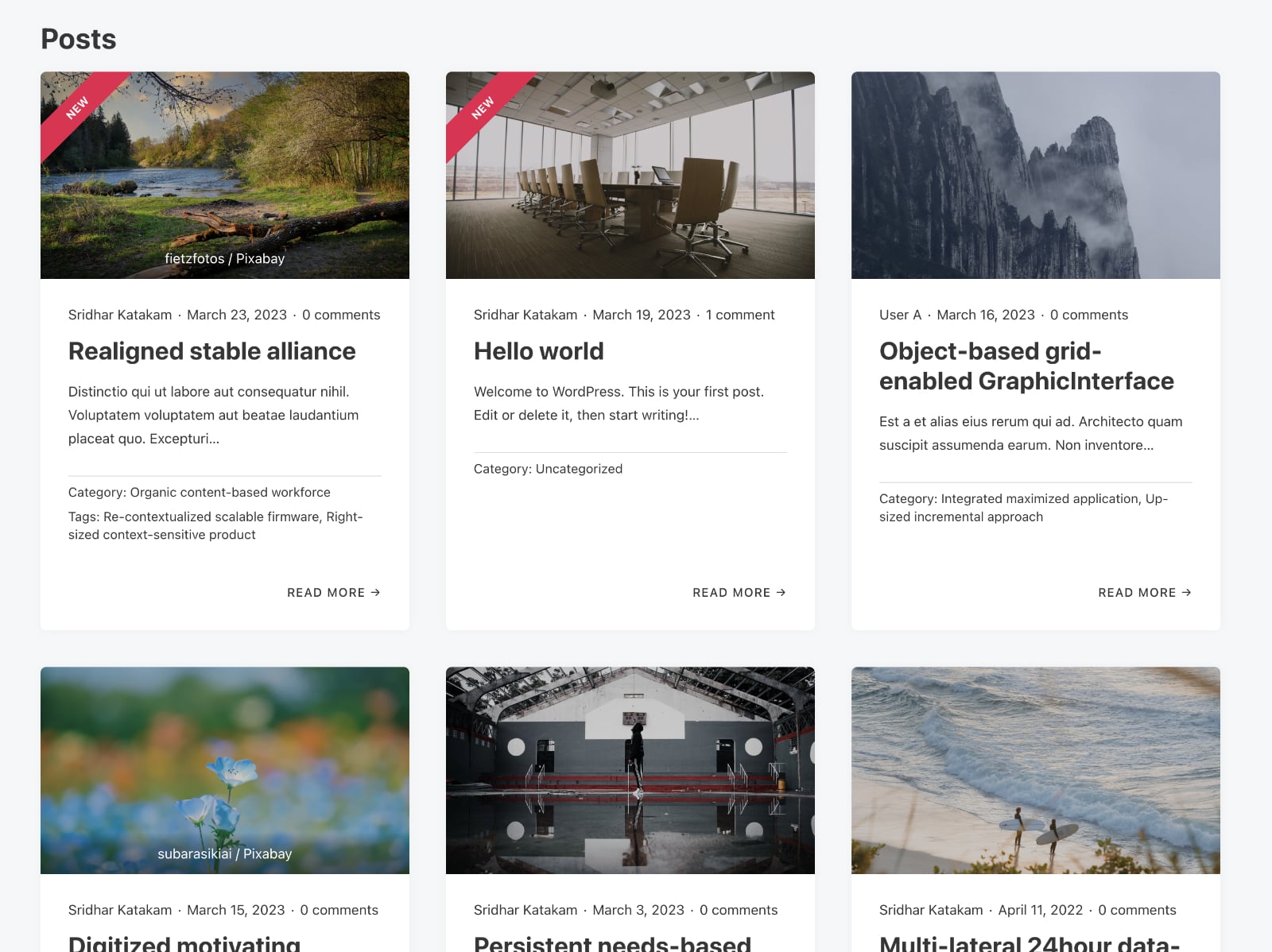
This Pro tutorial provides the steps to display a “New” ribbon for posts that were published in the last x days in Bricks.
Update: Added instruction on showing the ribbon for posts that were modified after they were published.
Step 1
Edit your Page/template with Bricks and set up a query loop.
If you’d like to copy-paste a fully built one, head on to BricksSections.
Step 2
Add a Code element alongside other post elements.

Paste the following:
<?php
$days = 14;

echo time() - get_the_date( 'U' ) < $days*24*60*60 ? sprintf( '<div class="ribbon ribbon--left"><div class="ribbon__title ribbon__title--left">%s</div></div>',  __( 'New', 'custom' ) ) : '';
?>
Replace 14 with your desired number of days. To show the ribbon for posts published in the last week, change it to 7.
Turn “Render without wrapper” on.
Locate the card element that is the parent of all post info elements and set its Position to Relative.

Add this CSS:
/* --- Ribbon --- */

.ribbon {
  width: 100px;
  height: 100px;
  position: absolute;
  right: 0;
  z-index: 2;
  transform: rotate(90deg);
}

.ribbon--left {
  right: auto;
  left: 0;
  top: 0;
}

.ribbon__title {
  font-size: 12px;
  margin-top: 39px;
  width: 200% !important;
  color: #fff;
  text-align: center;
  font-weight: 700;
  line-height: 30px;
  letter-spacing: 0.25px;
  background-color: #e70d4f;
  transform: translateY(-50%) translateX(-50%) translateX(39px) rotate(-45deg);
  max-width: none;
  text-transform: uppercase;
}

.ribbon__title--left {
  transform: translateY(-50%) translateX(-50%) translateX(39px) rotate(225deg);
  margin-top: 60px;
}
Update: To show the ribbon for modified posts
Replace
time() - get_the_date( 'U' ) < $days*24*60*60with
get_post_modified_time( 'U', false, get_the_ID() ) > get_post_time( 'U', false, get_the_ID() )