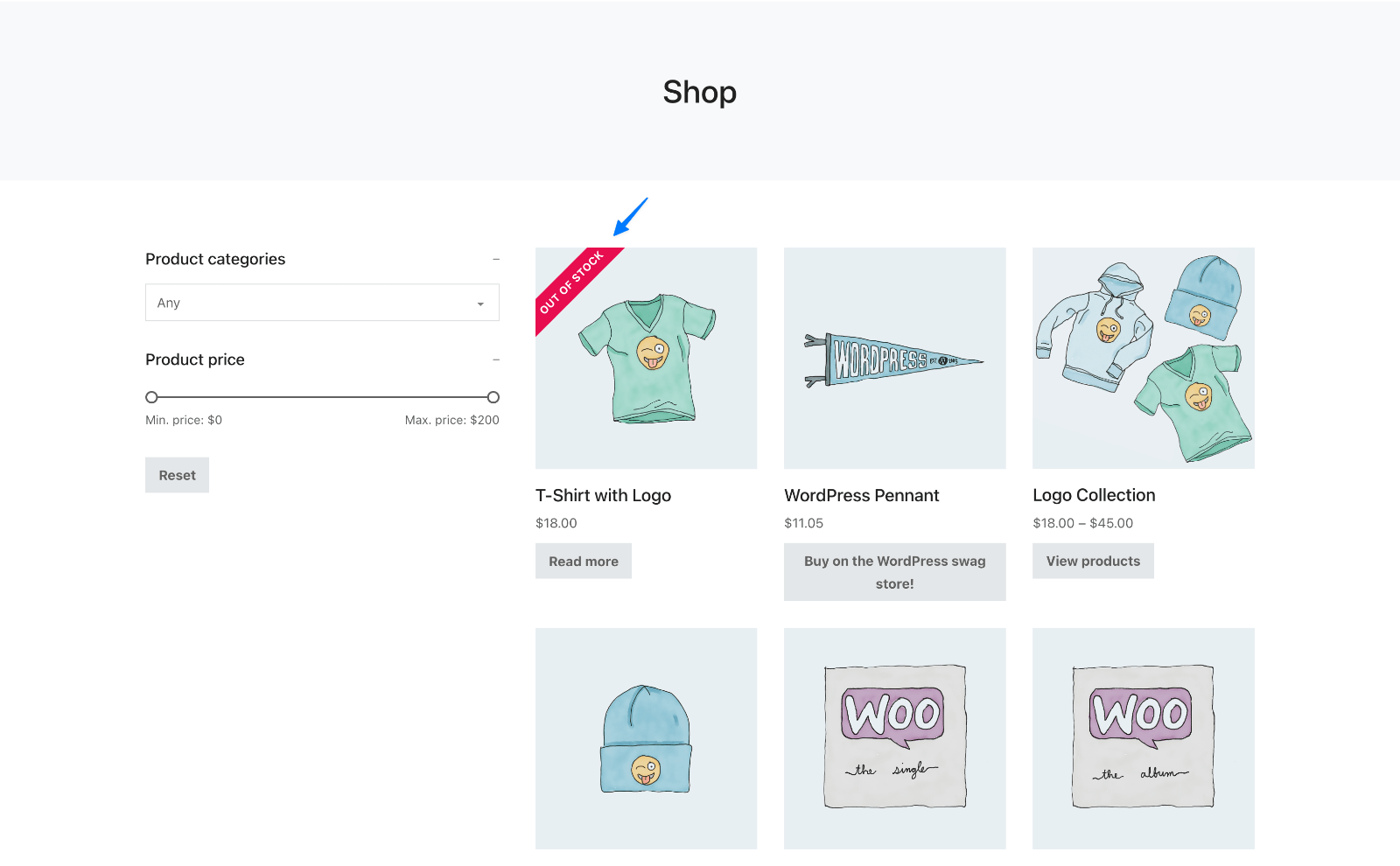
This Pro tutorial provides the steps to show a “OUT OF STOCK” ribbon for WooCommerce products that are output via the Bricks’ Products element on listing pages like the Shop page and product category/tag archives.
Step 1
Let’s register a custom function for our ribbon.
Add the following in your child theme’s functions.php or a code snippets plugin like WPCodeBox:
/**
 * Function that returns the HTML for a ribbon reading "Out of stock" for out of stock products on product listings.
 *
 * @return string
 */
function bl_out_of_stock_ribbon() {
	global $product;

	return ( is_shop() || is_product_category() || is_product_tag() ) && ! $product->is_in_stock() ? sprintf( '<div class="ribbon ribbon--left"><div class="ribbon__title ribbon__title--left">%s</div></div>',  __( 'Out of stock', 'woocommerce' ) ) : '';
}
Step 2
Add the following in either child theme’s style.css or at Bricks → Settings → Custom Code → Custom CSS:
/* --- Ribbon --- */

.ribbon {
  width: 100px;
  height: 100px;
  position: absolute;
  right: 0;
  z-index: 2;
  transform: rotate(90deg);
}

.ribbon--left {
  right: auto;
  left: 0;
}

.ribbon__title {
  font-size: 12px;
  margin-top: 39px;
  width: 200% !important;
  color: #fff;
  text-align: center;
  font-weight: 700;
  line-height: 30px;
  letter-spacing: 0.25px;
  background-color: #e70d4f;
  transform: translateY(-50%) translateX(-50%) translateX(39px) rotate(-45deg);
  max-width: none;
  text-transform: uppercase;
}

.ribbon__title--left {
  transform: translateY(-50%) translateX(-50%) translateX(39px) rotate(225deg);
  margin-top: 60px;
}
Step 3
Edit (Create if not present) the Page/Template that applies to Products post type’s archive i.e., the Shop page and/or Product Category and Product Tag term archives.
Add a Section and inside its Container, a Products element.
Set your desired number of Columns. In our example, we set it to 3.
Under FIELDS, add a new field and move it so it above all the other fields.
Dynamic Data:
echo:{bl_out_of_stock_ribbon}

Step 4
In the STYLE tab under Custom CSS, add:
root .product {
  overflow: hidden;
}
That’s it!