Updated on 25 Jul 2024
Bricks has a “Product up/cross-sells” element that is built in.
If you want more control to visually build your WooCommerce product upsells and cross-sells, it is possible to use the Query Loop feature.
Upsells and cross-sells for products can be set in the Product data meta box in the Linked Products tab.

This Pro tutorial provides the steps to set up up-sells and cross-sells in the single product template. We are going to ensure that the Section having the heading and the query loop will be output only if there’s at least 1 up-sell product (if showing up-sells) or at least 1 cross-sell product (if showing cross-sells).

Edit your single product template with Bricks.
Upsells
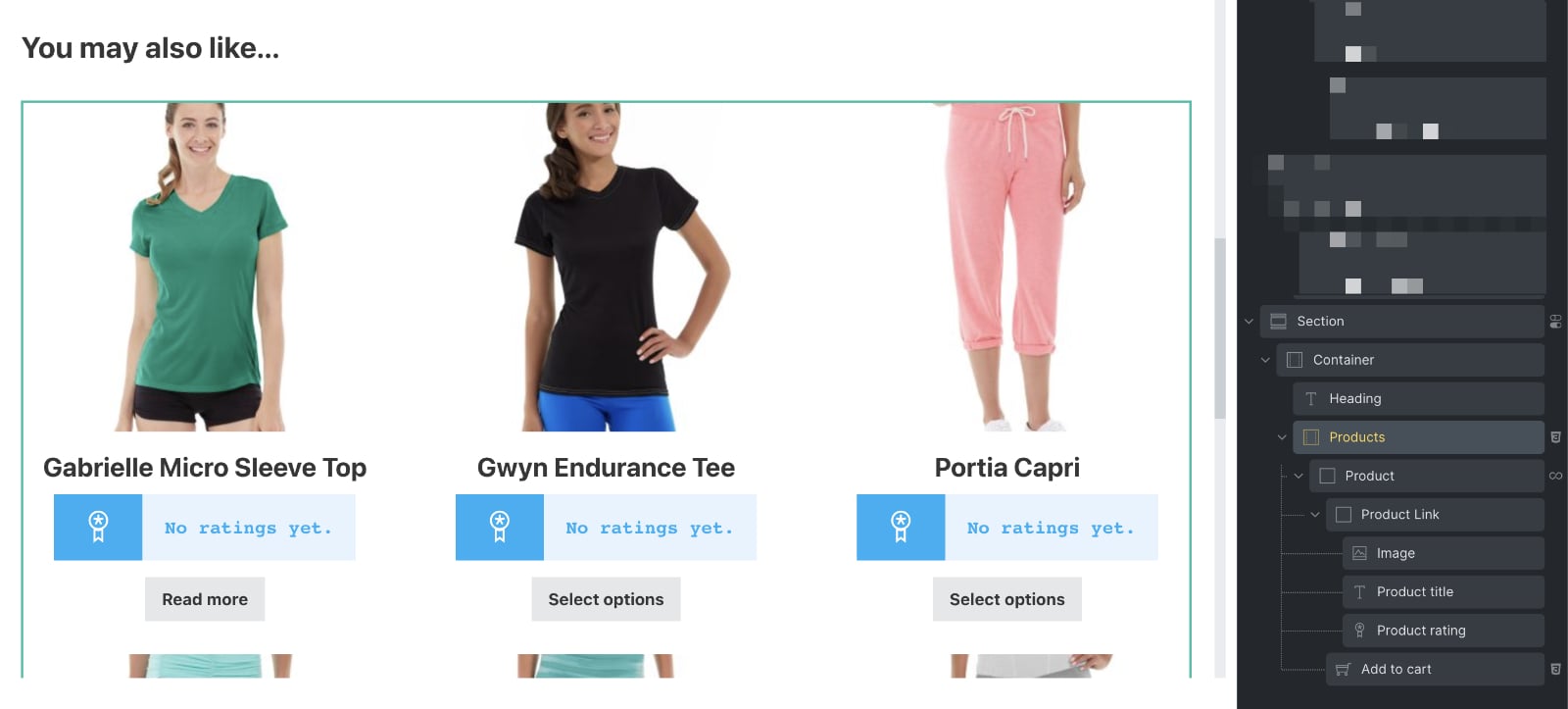
Set up a query loop for outputting the products set as upsells for the current product.
Here’s a sample JSON of a section you could copy and paste. Delete the Products pagination element after pasting.
This will show the latest 10 products. In the next step, we shall limit these to only up-sells of the current product.
Click on the query icon for your product block and enable PHP query editor.
Paste:
$upsells = get_post_meta( get_the_ID(), '_upsell_ids', true );

if ( ! empty( $upsells ) ) {
  return [
    'post_type' => 'product',
    'posts_per_page' => 100, // a large number
    'no_found_rows' => true,
    'post__in' => $upsells,
    'orderby' => 'post__in',
  ];
} else {
  return [
    'post__in' => [ 0 ],
  ];
}
Add a dynamic data condition on the Section to ensure that it gets output only if there is at least 1 upsell.

Replace ctqiqn with the Bricks ID of your query loop element.
Cross-sells
Set up a query loop for outputting the products set as cross-sells for the current product.
Here’s a sample JSON of a section you could copy and paste. Delete the Products pagination element after pasting.
This will show the latest 10 products. In the next step, we shall limit these to only cross-sells of the current product.
Click on the query icon for your product block and enable PHP query editor.
Paste:
$crosssells = get_post_meta( get_the_ID(), '_crosssell_ids', true );

if ( ! empty( $crosssells ) ) {
  return [
    'post_type' => 'product',
    'posts_per_page' => 100, // a large number
    'no_found_rows' => true,
    'post__in' => $crosssells,
    'orderby' => 'post__in',
  ];
} else {
  return [
    'post__in' => [ 0 ],
  ];
}
Add a dynamic data condition on the Section to ensure that it gets output only if there is at least 1 upsell.

Replace ilieml with the Bricks ID of your query loop element.