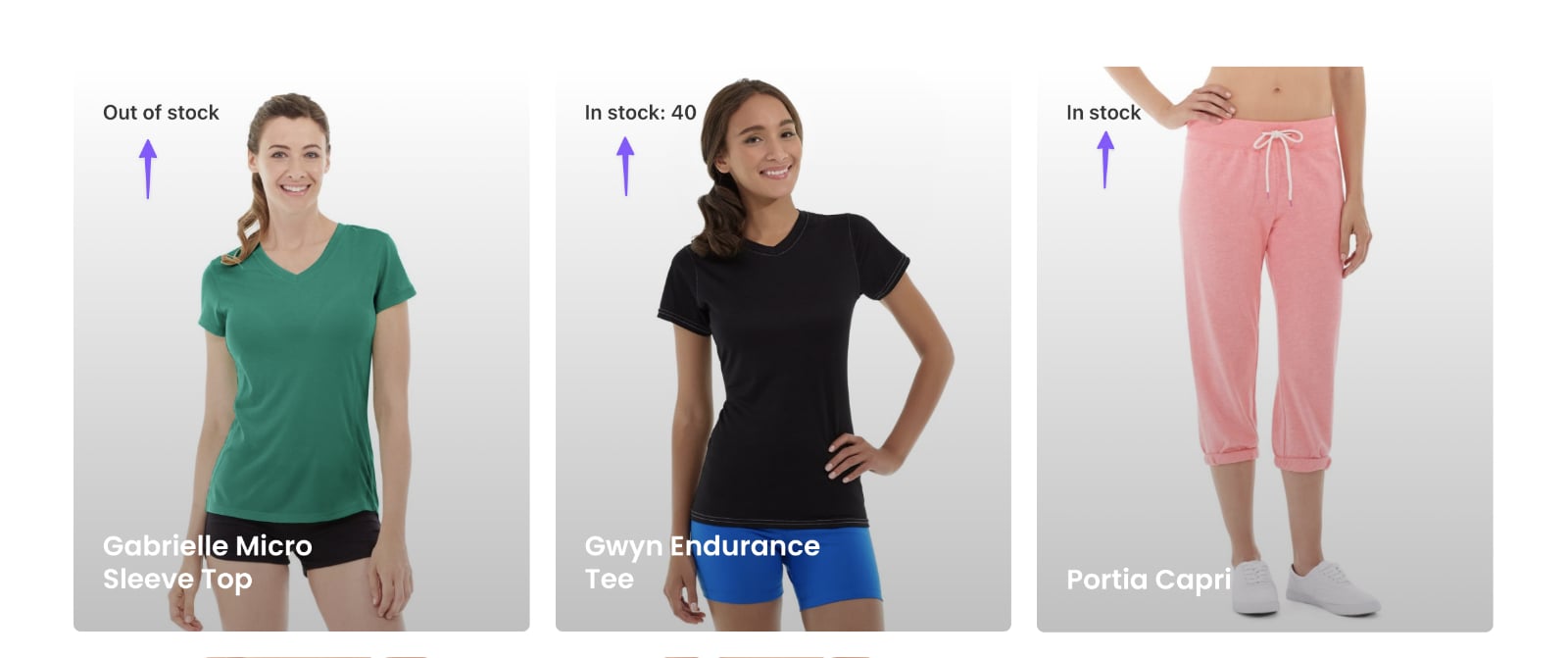
In the unofficial WP Grid Builder Facebook group a user asked:
Is it possible to show stock quantity on the card? I can’t find it in blocks, only in/out of stock, and I need to show how many items are on stock.
This Pro tutorial provides the code for creating a custom WP Grid Builder block using the wp_grid_builder/blocks filter.
Add the following in child theme‘s functions.php or a code snippets plugin:
add_filter( 'wp_grid_builder/blocks', 'bl_register_stock_quantity_block', 10, 1 );
function bl_register_stock_quantity_block( $blocks ) {

	// 'stock_quantity_block' corresponds to the block slug.
	$blocks['stock_quantity_block'] = [
		'name' => __( 'Stock Quantity', 'text-domain' ),
		'render_callback' => 'bl_stock_quantity_block_render',
	];

	return $blocks;

}

// The render callback function allows to output content in cards.
function bl_stock_quantity_block_render() {

	// object can be a post, term or user.
	$object = wpgb_get_object();

	// if this is not a product post type.
	if (
		! isset( $object->post_type ) ||
		'product' !== $object->post_type ||
		! function_exists( 'wc_get_product' )
	) {
		return;
	}

	$product = wc_get_product( $object->ID );

	if ( empty( $product ) ) {
		return;
	}

	// check if stock is managed on a product level
	if ( $product->get_manage_stock() ) {
		$stock_quantity = $product->get_stock_quantity();

		// now we can print it or do whatever
		echo "In stock: $stock_quantity";
	} else {
		$stock_status = $product->get_stock_status();

		if ( 'instock' === $stock_status ) {
			echo 'In stock';
		}
		if ( 'outofstock' === $stock_status ) {
			echo 'Out of stock';
		}
		// there is also "onbackorder" value can be returned
	}

}
Your new block will now be available when editing any card near the bottom under “Custom Blocks”.
To add it, just click on its icon and position where needed.
To specify the stock level, edit your products and in the “Product data” meta box’s Inventory tab, tick Stock management and specify the quantity.
References
https://docs.wpgridbuilder.com/resources/filter-blocks/
https://rudrastyh.com/woocommerce/get-product-stock-quantity.html