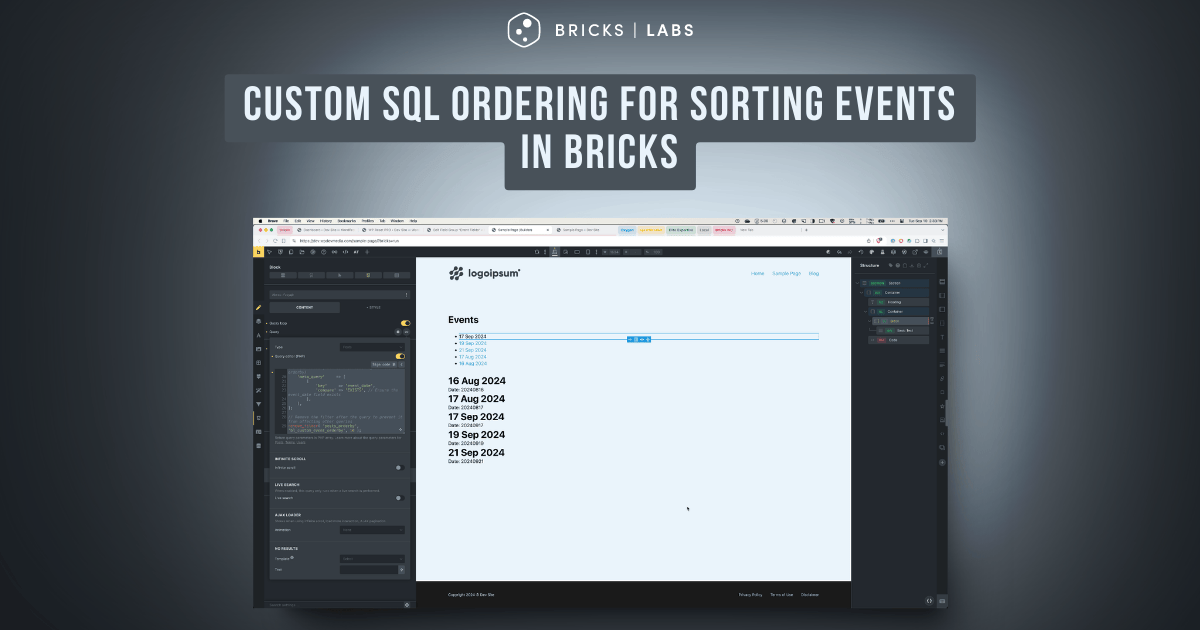
Consider the following scenario.
CPT: event
Custom field: event_date (of type Date)
Sample posts with post titles matching the meta value for convenience:

Requirement:
Show the events ordered by the event date with all current/upcoming events in ascending order and then all past events in descending order.
After implementing the tutorial:

This Pro tutorial provides the steps to create a custom sorting system that orders events by displaying future events first in ascending order, followed by past events in descending order, all within a single database query in Bricks.
Split (multiple) queries and post-query PHP sorting using a Bricks filter are two other ways of getting the same result. But a custom SQL ORDER BY clause has several advantages like performance, scalability for large datasets and pagination support.
Single Tutorial Purchase Option
Lifetime access to this single tutorial can be purchased for $39 here.
Step 1
Create event CPT and a corresponding field group having event_date field.

Add event posts and populate the field for each. We shall only pull the events for which the event date has been set.

Step 2
Define a custom function to modify the ORDER BY clause for event queries.
Add the following in child theme‘s functions.php (w/o the opening PHP tag) or a code snippets plugin:
<?php

/**
 * Custom function to modify the ORDER BY clause for event queries
 *
 * @param string $orderby The original ORDER BY clause
 * @param WP_Query $query The current WP_Query object
 * @return string Modified ORDER BY clause
 */
function bl_custom_event_orderby( $orderby, $query ) {
    // Access the WordPress database object
    global $wpdb;

    // The $wpdb object is a global variable in WordPress that allows direct interaction with the database.
    // It provides methods for running SQL queries and accessing database-related information.
    // We need it here to reference the postmeta table in our custom SQL for ordering events.

    // Only modify the query if it's for the 'event' post type
    if ( $query->get( 'post_type' ) === 'event' ) { // set your post type here
        $orderby = "
        -- First, separate future events (including today) from past events
        CASE
            WHEN {$wpdb->postmeta}.meta_value >= '{$GLOBALS['bl_today']}' THEN 0  -- Future events (including today)
            ELSE 1  -- Past events
        END ASC,
        -- 'END ASC,' concludes the CASE statement and specifies ascending order
        -- ASC (ascending) means:
        --   1. Future events (value 0) will come before past events (value 1)
        --   2. This creates our primary division: all future events, then all past events
        -- The comma indicates that this is not the end of our ORDER BY clause;
        -- there's another ordering criterion to follow

        -- Then, order by the absolute difference in days from today
        ABS(DATEDIFF({$wpdb->postmeta}.meta_value, '{$GLOBALS['bl_today']}')) ASC";

        // Detailed explanation of the ORDER BY clause:
        // 1. The CASE statement separates future and past events:
        //    - Future events (including today) get a value of 0
        //    - Past events get a value of 1
        //    - ASC order ensures future events (0) come before past events (1)
        //
        // 2. The ABS(DATEDIFF()) part orders events by proximity to today:
        //    - DATEDIFF calculates the difference in days between the event date and today
        //    - ABS ensures both future and past dates are treated as positive numbers
        //    - ASC order puts the smallest differences (closest to today) first
        //
        // 3. Combined effect:
        //    - All future events are listed first, from soonest to latest
        //    - All past events follow, from most recent to oldest
        //
        // This approach ensures a logical ordering where:
        //    1. Upcoming events are shown first, starting with the nearest
        //    2. Past events follow, starting with the most recent
    }

    return $orderby;
}
Step 3
Edit your Page/Template with Bricks.
Set up a query loop for showing events.
Enable PHP query editor and paste:
// Get today's date in 'Ymd' format (e.g., 20240910 for September 10, 2024)
$today = date( 'Ymd' );

// Store $today in a global variable to access it within the function
$GLOBALS['bl_today'] = $today;

// Add the filter
add_filter( 'posts_orderby', 'bl_custom_event_orderby', 10, 2 );
// posts_orderbyis the name of the filter hook we're attaching our function to.
// The 'posts_orderby' filter specifically allows modification of the SQL ORDER BY clause in WordPress queries.
// In essence, this line tells WordPress:
// "When you're about to use the ORDER BY clause in a query (posts_orderby), call our custom function (bl_custom_event_orderby) with a normal priority (10), and pass it 2 arguments."
// https://d.pr/i/L8mpdH

return [
    'post_type'      => 'event', // Your post type here
    'posts_per_page' => -1, // Retrieve all events
    'meta_key'       => 'event_date', // The custom field key for event date
    'orderby'        => 'meta_value', // Order by the meta value (will be overridden by our custom orderby)
    'meta_query'     => [
        [
            'key'     => 'event_date',
            'compare' => 'EXISTS', // Ensure the event_date field exists
        ],
    ],
];

// Remove the filter after the query to prevent it from affecting other queries
remove_filter( 'posts_orderby', 'bl_custom_event_orderby', 10 );
Sign code and save.
Credit
AI.