In the members-only Tutorial Requests area, a user asked:
Can you please make a tutorial how to create a post archive base on year and month, like Augustus 2024, September 2024, October 2024. like this https://changelog.announcekit.app/
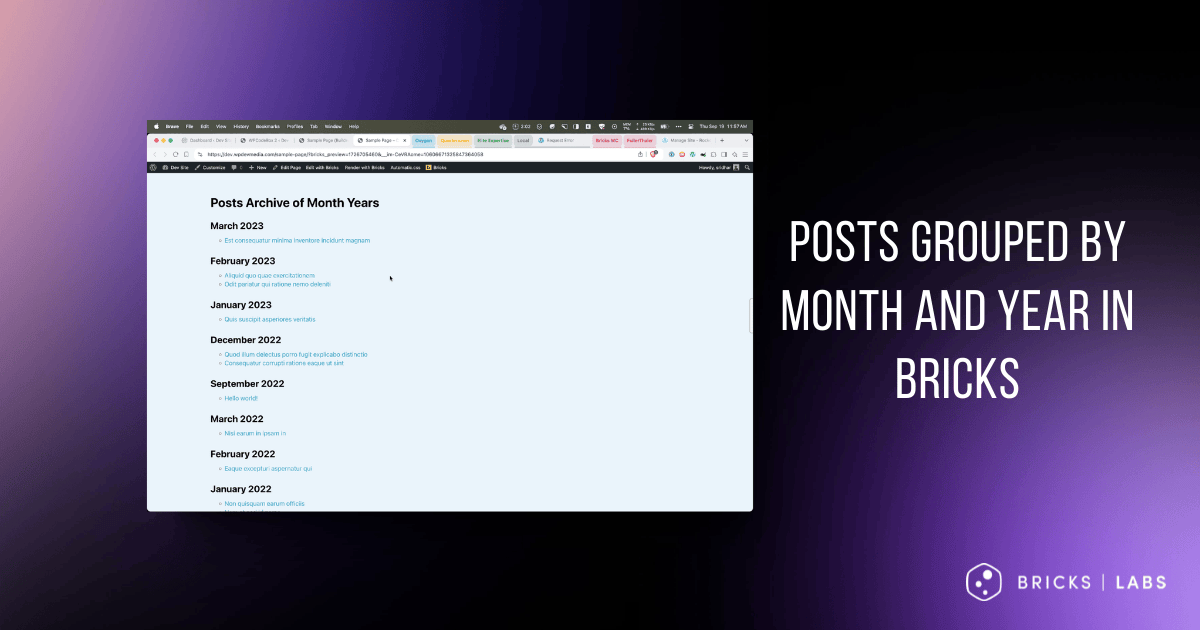
This Pro tutorial provides the steps to set up nested query loops in Bricks with the outer loop looping through an array of months and years in descending order and the inner loop outputting the posts published in the current iteration of the outer query.

Step 1
Let’s add code to
- Add new “Post Months” query loop type option in the query type dropdown
- Set up a function that should run when the “Post Months” query type is selected. This function will be set to return an array of labels (Ex.: September 2024), years (Ex.: 2024) and months (Ex.: 9 for September)
- Add a custom function for getting the current loop object
Add the following in child theme‘s functions.php (w/o the opening PHP tag) or a code snippets plugin:
<?php

// Add new "Post Months" query loop type option in the dropdown
add_filter( 'bricks/setup/control_options', function( array $control_options ): array {
    // Add a new query type option 'post_months' in the builder
    $control_options['queryTypes']['post_months'] = esc_html__( 'Post Months' );

    // Return the modified control options
    return $control_options;
} );

// Run new query if option selected
add_filter( 'bricks/query/run', function( array $results, object $query_obj ): array {
    // Check if the selected query type is not 'post_months'
    if ( $query_obj->object_type !== 'post_months' ) {
        // If not, return the original results without modification
        return $results;
    }

    // If 'post_months' is selected, run our custom query function
    $results = bl_get_post_months();

    // Return the results of our custom query
    return $results;
}, 10, 2 );

// Function to get post months
function bl_get_post_months(): array {
    // Access the global WordPress database object
    global $wpdb;

    // Query the database to get distinct year and month combinations for published posts
    $months = $wpdb->get_results(
        $wpdb->prepare(
            "SELECT DISTINCT YEAR( post_date ) AS year, MONTH( post_date ) AS month
            FROM $wpdb->posts
            WHERE post_type = %s AND post_status = %s
            ORDER BY post_date DESC",
            'post',
            'publish'
        )
    );

    // Initialize an array to store formatted month data
    $formatted_months = [];
    // Loop through each month returned by the database query
    foreach ( $months as $month ) {
        // Create a DateTime object for the first day of the month
        $date = new DateTime( "{$month->year}-{$month->month}-01" );

        // Add formatted month data to the array
        $formatted_months[] = [
            'label' => $date->format( 'F Y' ), // Format as "Month Year" (e.g., "January 2024")
            'year' => $month->year,            // Store the year
            'month' => $month->month,          // Store the month number
        ];
    }

    // Return the array of formatted month data
    return $formatted_months;
}

if ( ! function_exists( 'bl_get_loop_object' ) ) {
    /**
    * Gets the current looping object in Bricks Builder.
    *
    * This function checks if we're currently inside any Bricks Builder loop
    * and returns the current loop object if so. If not in a loop, it returns null.
    *
    * @return array<string, mixed>|null Current loop object or null if not in a loop.
    */
    function bl_get_loop_object(): ?array {
        // Check if Bricks Query class exists to avoid potential errors
        if ( ! class_exists( 'BricksQuery' ) ) {
            return null;
        }

        // Check if we're currently inside any Bricks Builder loop
        $looping_query_id = BricksQuery::is_any_looping();

        if ( $looping_query_id ) {
            // If we're in a loop, get the current loop object
            $loop_object = BricksQuery::get_loop_object( $looping_query_id );

            // Ensure the returned value is an array
            return is_array( $loop_object ) ? $loop_object : null;
        }

        // If we're not in a loop, return null
        return null;
    }
}
Step 2
Whitelist the bl_get_loop_object function.
Ex.:
<?php

add_filter( 'bricks/code/echo_function_names', function() {
  return [
    'bl_get_loop_object'
  ];
} );
You should also add other functions (native or custom) being used in your Bricks instance besides bl_get_loop_object. This can be checked at Bricks → Settings → Custom code by clicking the Code review button.
More info on whitelisting can be found here.
Step 3
Edit your Page or Template with Bricks.
Copy this Section’s JSON code and paste.

Outer query loop:

Month Year Heading element’s text has been set to:
{echo:bl_get_loop_object:array_value|label}
Inner query loop:
$outer = BricksQuery::get_query_for_element_id( 'zliysl' )->loop_object;

return [
  'post_type' => 'post',
  'post_status' => 'publish',
  'posts_per_page' => -1,
  'date_query' => [
    [
      'year' => $outer['year'],
      'month' => $outer['month'],
    ],
  ],
  'orderby' => 'date',
  'order' => 'DESC',
];
Replace zliysl with the Bricks ID of the outer parent query loop element.
Reference
https://brickslabs.com/parent-query-loop-object-traversing-nested-query-loops-up-in-bricks/